drydock
Local Compose lab for Terraform: write HCL against Floci cloud emulators, inspect resources read-only, visualize state or plans, and grade via the emulator API.
- Status
- Developer tool
- Form
- Docker Compose · Codespaces
- Built with
- Node.js · Svelte 5 · Monaco · xterm.js
- Catalog
- 7 paths · 41 AWS labs
- Lab modes
- Guided · Challenge · Issue
- Gate
- 53 node:test · local
- Harness
- Claude · Cursor · Antigravity CLI
- Started
- Nov 2026
Overview
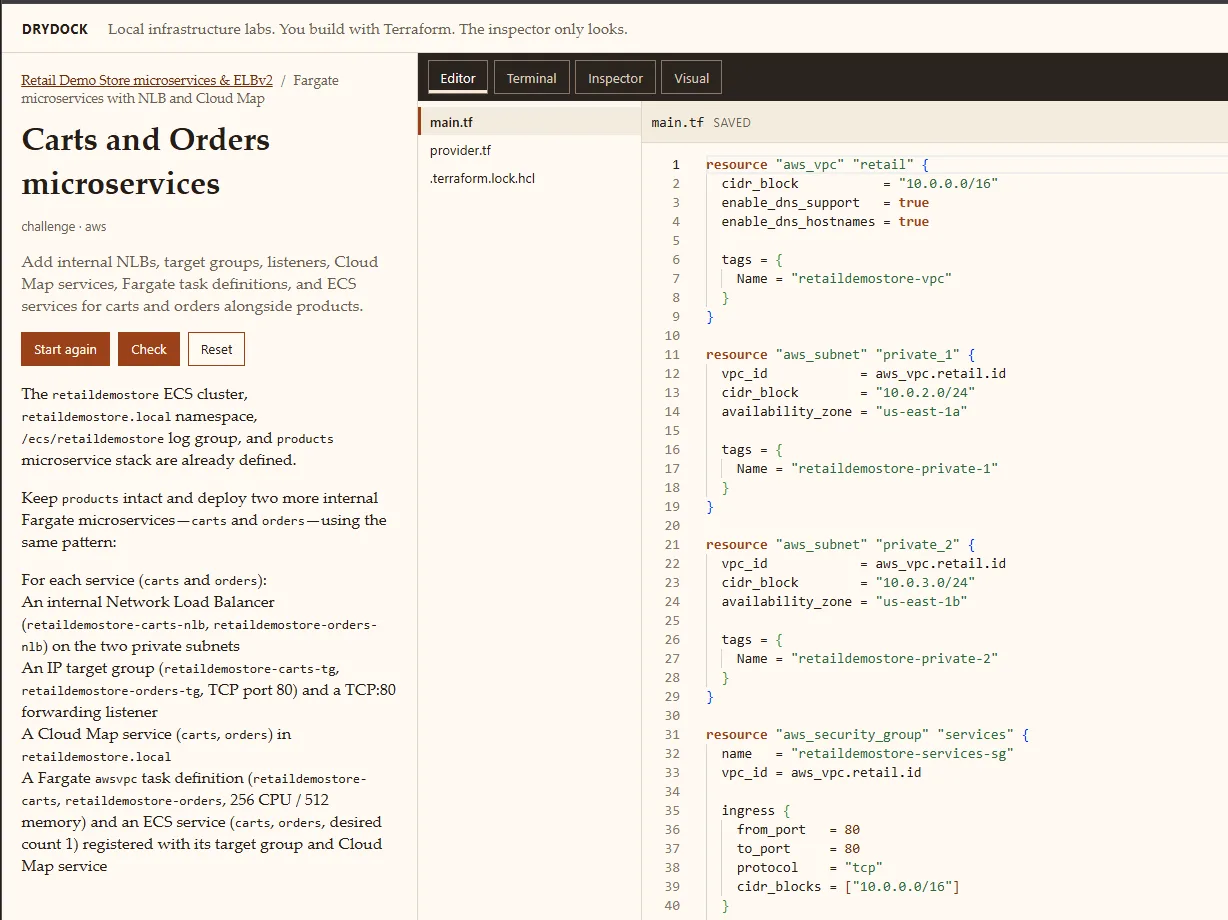
Drydock runs locally via docker compose up --build or GitHub Codespaces, exposing only port 8080. Its catalog ships 7 AWS paths and 41 labs—covering S3, VPC, Fargate, DynamoDB, API Gateway, and CI/CD—across guided, challenge, and drift-repair modes, with Azure, GCP, and OCI bundles also wired.
Starting a lab launches only the needed Floci emulators, initializes a fresh Terraform workspace, and opens Monaco (with terraform-ls), an xterm.js toolbox shell, a read-only inspector, and a Visual state/plan diagram.
Stack
Web shell
- Svelte 5 + Vite
- Catalog, brief, and Editor/Terminal/Inspector/Visual panes with localStorage progress.
- Monaco + terraform-ls
- In-browser HCL editing with completion, diagnostics, and hover over WebSocket LSP.
- xterm.js
- Resizable bash PTY attached via Docker exec into the toolbox container.
- Visual diagrams
- State and plan SVGs laid out with elkjs and official AWS icons.
Orchestrator & proxy
- labd (Node.js)
- Loads the catalog, manages emulator lifecycles, serves the UI, and runs grading.
- Inspector proxy
- Proxies Floci UI read-only, stripping mutating schema actions and blocking writes with 403.
Toolbox & emulators
- Toolbox container
- Debian container with Terraform 1.17.2, local provider mirror, and AWS/Azure/GCP/OCI CLIs.
- Floci emulators
- On-demand cloud emulators started and reset per lab session.
Engineering highlights
Grade the emulator, not Terraform state
Checks run cloud CLI commands outside the learner's workspace and validate parsed JSON predicates against the emulated API—so editing
terraform.tfstateor shadowing scripts can't fake a pass.Read the code:ADR 0002: grade the emulatorgrader.js
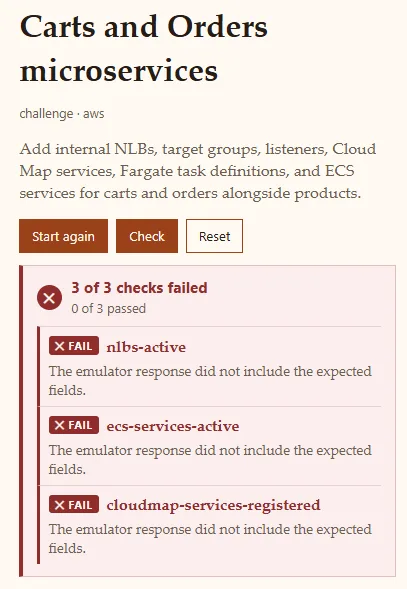
Failed checks list each predicate; passing marks the lab complete in the browser. A read-only inspector proxy
To prevent ClickOps fixes, the proxy filters Floci UI schemas down to read-only actions, rewrites client routes, and returns
403on any mutating request.Read the code:inspector.js
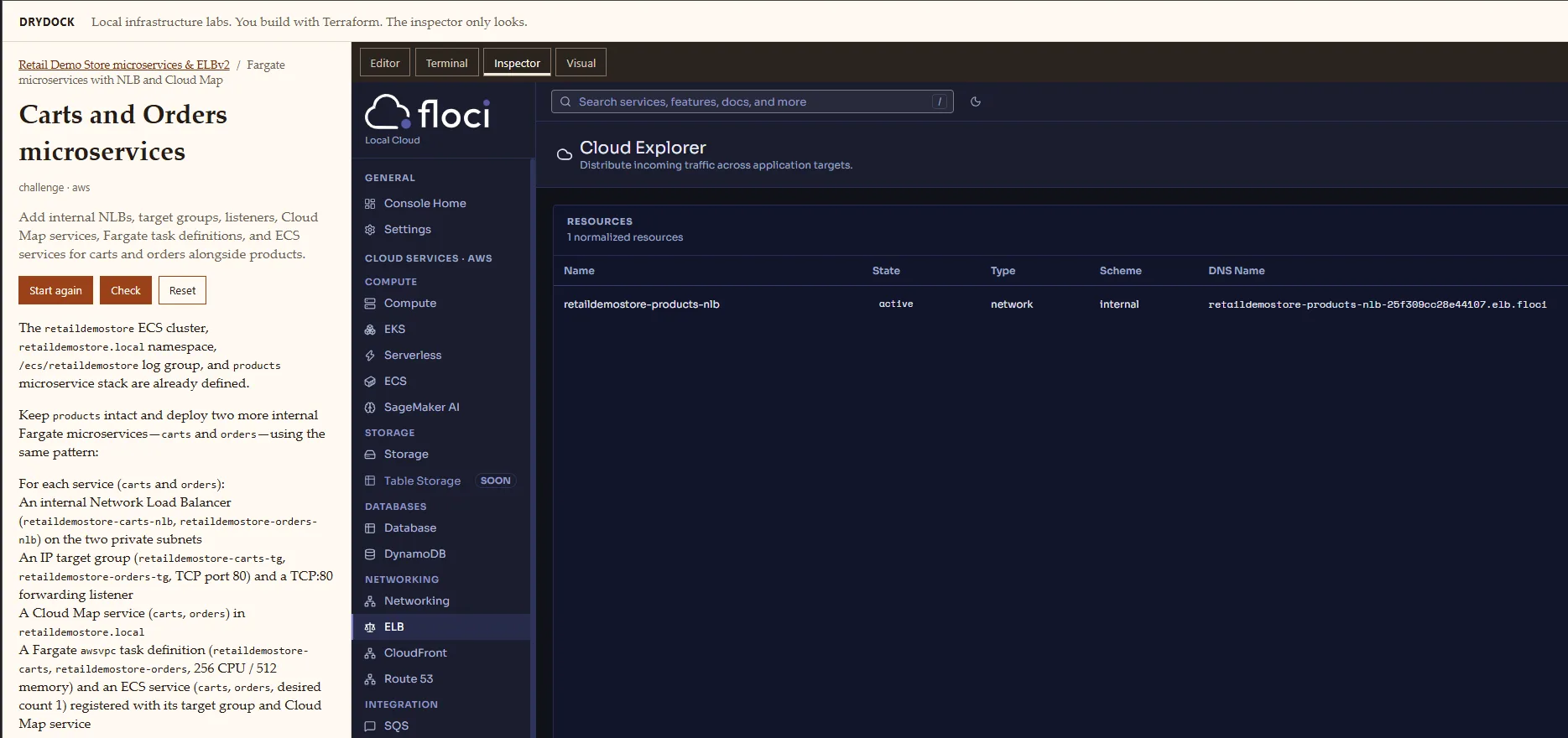
Floci console proxied with create and delete actions removed. Diagrams of live state and proposed plans
The Visual tab parses Terraform state or plan JSON into elkjs diagrams, highlighting creates, updates, deletes, replacements, and drift while redacting sensitive values.
Read the code:diagram.jsrender.ts
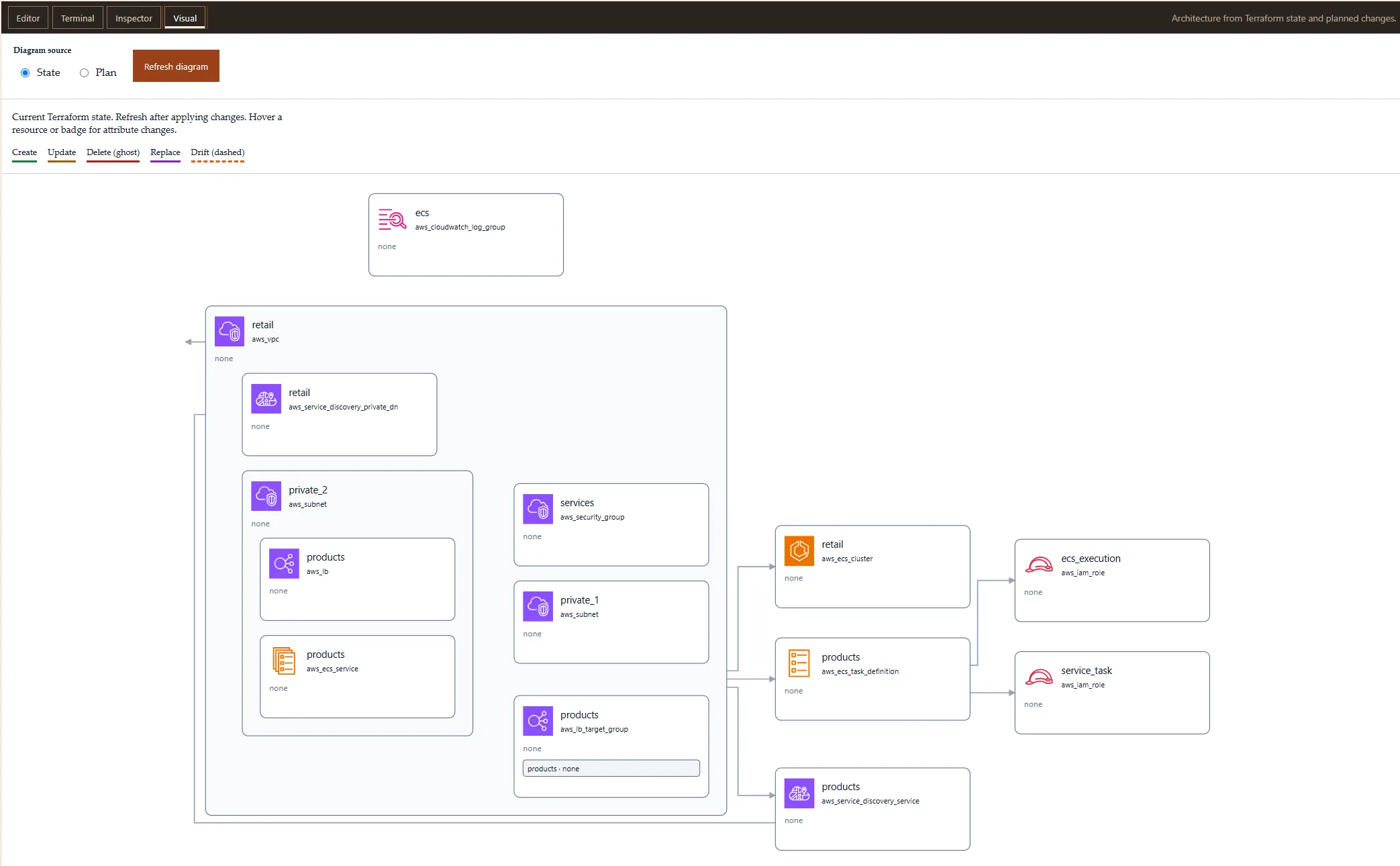
Fargate lab state rendered as an interactive diagram; Plan mode marks proposed changes. Native CLI toolbox over in-browser WASM
Because Terraform providers and cloud CLIs are native binaries, the terminal streams a PTY from a Compose toolbox with a local provider mirror and generated emulator endpoints.
Read the code:ADR 0001: toolbox terminaltoolbox.jsemulatorSet.js
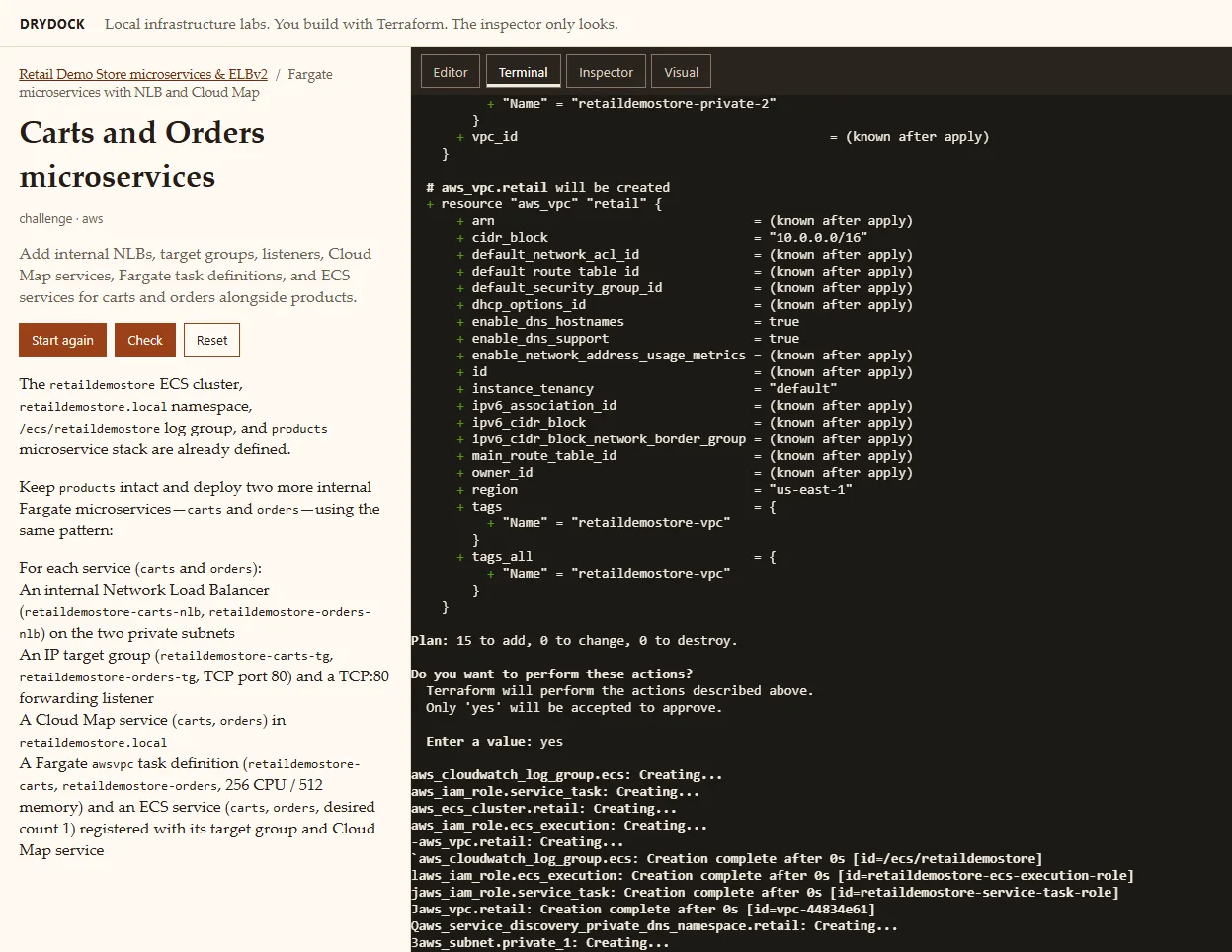
terraform apply running inside the toolbox against session emulators. Three lab modes, including out-of-band drift
Guided labs explain resources with vendor docs; Challenge labs state only the outcome; Issue labs apply a baseline and inject out-of-band CLI mutations so re-applying alone won't fix the symptom.
Read the code:ADR 0003: three lab modesGLOSSARY.md
Architecture
From Start lab to a graded check
- Start emulatorsStop unused containers and boot only the lab's Floci services.
- Materialize workspaceCopy starter files, wire emulator endpoints, and run terraform init.
- Seed driftFor issue labs, apply baseline HCL then mutate the emulator out-of-band.
- Edit & applyEdit HCL in Monaco with terraform-ls and apply in xterm.js.
- VisualizeDraw state or plan JSON, marking changes and drift.
- Inspect & gradeBrowse Floci read-only and grade via hidden emulator CLI predicates.
More screens